Don’t just hand over the website. Hand over the AI that knows it.
Build complete websites and campaign pages using Assistant Bot, your own code, Claude or ChatGPT. Then invite your client into the same shared AI workspace — with the website, branding and working history already in place.
Ship a campaign page in an afternoon. Your whole team shares the same Assistant Bot, conversation and website context — no seats, no re-briefs, no git.
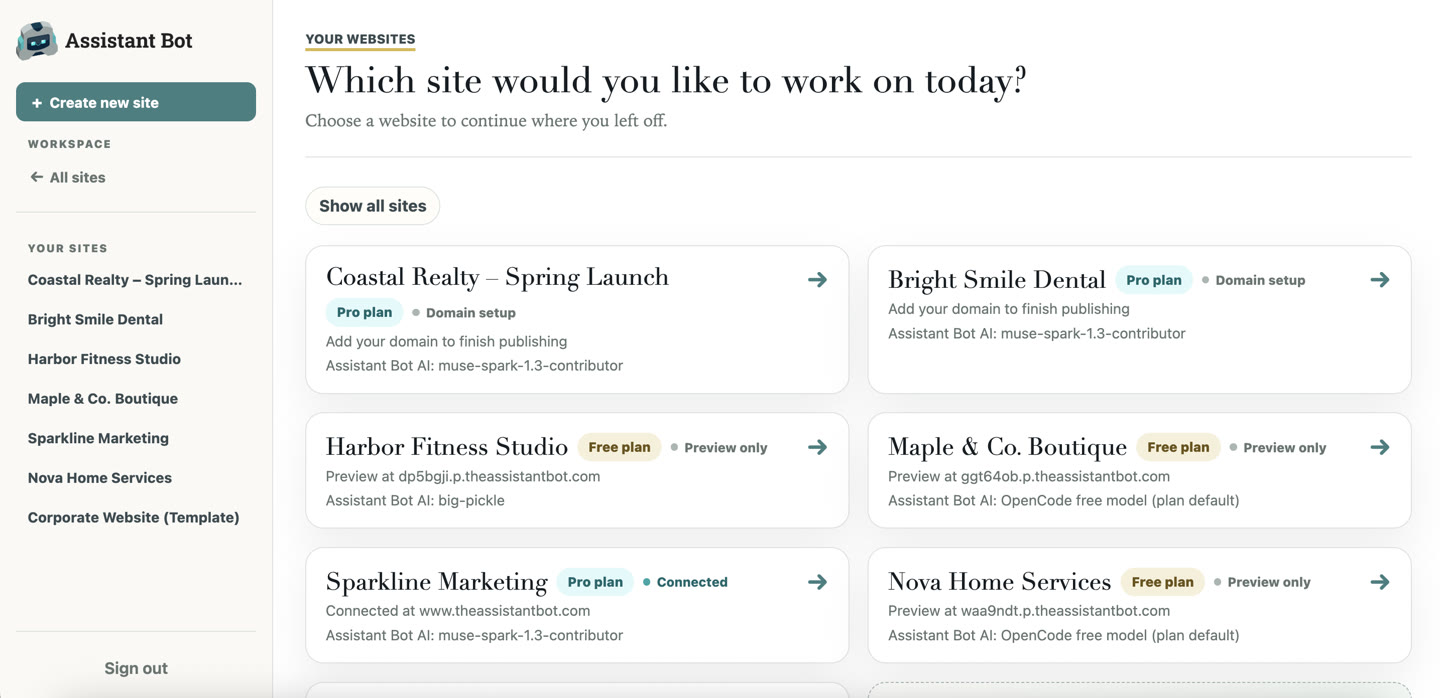
Every client site and campaign in one dashboard — no seat math, no juggling logins

We used to build all our clients’ websites on WordPress, but it was always too daunting for them. Every update meant tutorial videos and waiting on developers. Since moving clients onto Assistant Bot, they just text what they want — a news update or new page is done in two minutes.

Designed elsewhere? Perfect.
Do more, wrestle tech less.
- ✓ Keep your design tools — bring HTML from anywhere, Claude or ChatGPT included
- ✓ We host it in minutes — no rebuild, no developer queue
- ✓ Your whole team updates it by chatting
- ✓ New pages inherit your branding automatically
Every path ends with the same handoff.
A live website with one shared Assistant Bot that you and your client continue using together.
Campaigns in, tweak-tickets out.
Everything a campaign landing page needs — built by chatting, billed per site, owned by the client afterwards.
From brief to handoff in four steps.
Questions agencies ask
Yes — after handoff, your client can update words, photos, and pages just by chatting. You decide what they handle themselves and what stays as billable change work. Either way, nothing needs a developer.
You build the site in a shared workspace, then invite your client into it. They see the same conversation and context — no re-briefing, no training manual. Access levels keep you in control.
Yes. Every live site gets its own custom domain with a secure connection — one $20/month site per campaign, no per-seat charges for your team or the client.
Yes. Add signup and enquiry forms by chatting, collect every response in a dashboard with CSV export, and send follow-up emails — up to 1,000 sends a month on the paid plan.
Each live site is $20/month with your whole team included. For high volumes across many clients, talk to us about organization pricing.
Paid sites show no Assistant Bot branding. Only the free tier shows a small ‘Built with Assistant Bot’ badge, which disappears the moment a site is on a paid plan.
Sites work like Wix or Squarespace: live as long as the subscription is active. If you cancel, the site comes down. There’s no HTML/file export today, so plan a site’s subscription to outlast the campaign — or the client relationship — if you want to keep it running.
Whichever you prefer, same as putting a client on Wix, Webflow, or Squarespace. Bill the client directly, mark it up inside your retainer, or have them pay Assistant Bot directly. You decide per client.
No. Keep your design tools and your code workflow. Assistant Bot is the layer underneath: rapid hosting, easy team updates, and new pages from the branding you’ve already done.
Yes. Live sites include 30-day visitor statistics — traffic, top pages, where visitors come from, and visitor-to-form conversion — so you can report results to clients.
Yes. Give Assistant Bot your tracking snippets or embed codes and tell it where to add them — it settles them in for you. No developer needed.
That combo is single-player: one person prompting, deploying through git, with nobody else able to update anything safely. Assistant Bot is multiplayer — your whole team shares one AI with one memory of the site, updates happen by chatting, and there’s no git, terminal, or deploy pipeline for anyone to learn.
Yes. Embed its signup forms through Assistant Bot and keep sending from the tool you know. You can also export form responses as CSV any time to import into any external tool of your own.
Tell us about your pipeline.
Running campaigns at volume? Tell us how many landing pages you ship — we’ll come back with a plan.